
Part 3: Summarize Results (AWS Bedrock with Meta’s Llama 3.2)
Finally, we deploy a Pulsar Function that uses Meta’s Llama 3.2 to summarize the data returned by the similarity search.
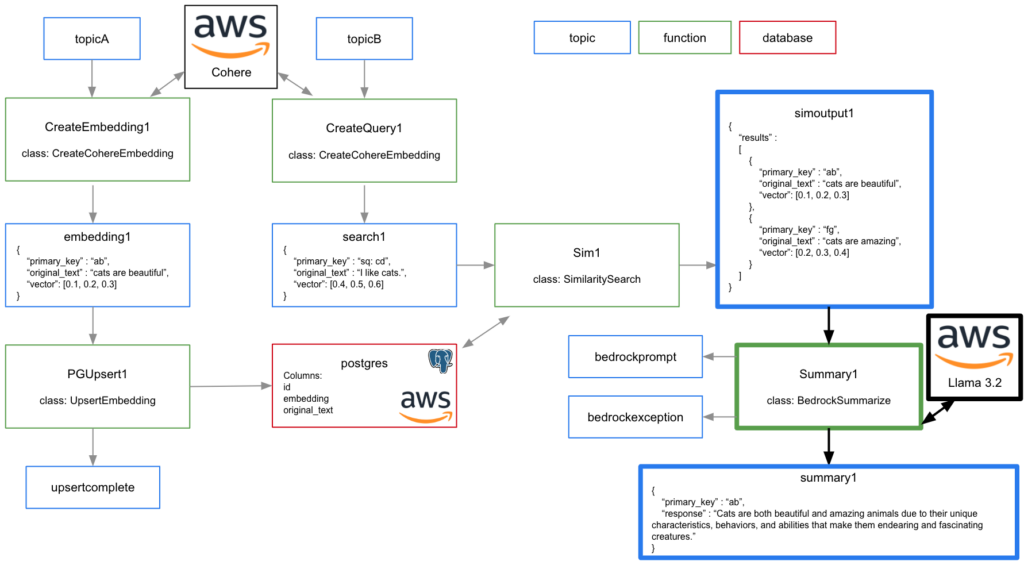
The video to the right is a high level overview of deploying and testing this Pulsar Python function.
Deploy Summary1
Code for this example can be found in streamnativerag1 class BedrockSummarize.
To deploy:
- Navigate terminal to the folder containing streamnativerag1.zip.
- Execute the following pulsarctl command. Be sure to edit the tenant in three places in the command where you would like to deploy the Pulsar Function (–input, –output, –tenant).
pulsarctl functions create --classname streamnativerag1.BedrockSummarize --py ./streamnativerag1.zip --inputs summitstudent1/developer/simoutput1 --output summitstudent1/developer/summary1 --tenant summitstudent1 --namespace developer --name Summary1 --secrets '{"BEDROCKSECRET1": {"path": "bedrocksecret", "key": "accesskey"}, "BEDROCKSECRET2": {"path": "bedrocksecret", "key": "secretaccesskey"}}'If the Pulsar Function starts deploying, you should see:
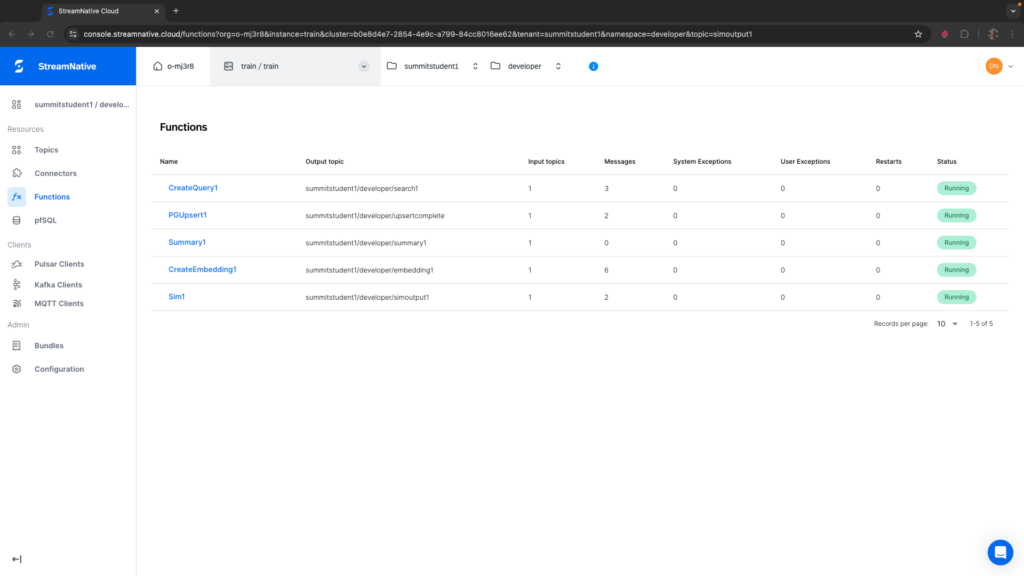
Created Summary1 successfullyIt may take a minute or two for the function to deploy. Once fully deployed, you should see the Sim1 has a Status of Running. If you see any System Exceptions, view Troubleshooting Pulsar Functions.
The Python Function will create a query with “summarize the following data into a single sentence without adding any additional information: “, followed by the two results returned by the similarity search.
Test Summary1
To test Summary1, we can publish a string message to topicB.
curl -X POST https://<SERVER ENDPOINT>/admin/rest/topics/v1/persistent/summitstudent1/developer/topicB/message \
  --header 'Authorization: Bearer <JWT TOKEN>' \
  --header 'Accept: application/json' \
  --header 'Content-Type: application/octet-stream' \
  --data-binary 'I like cats.'
If the Pulsar Function triggered, you should see 1 in the Messages column for Summary1.
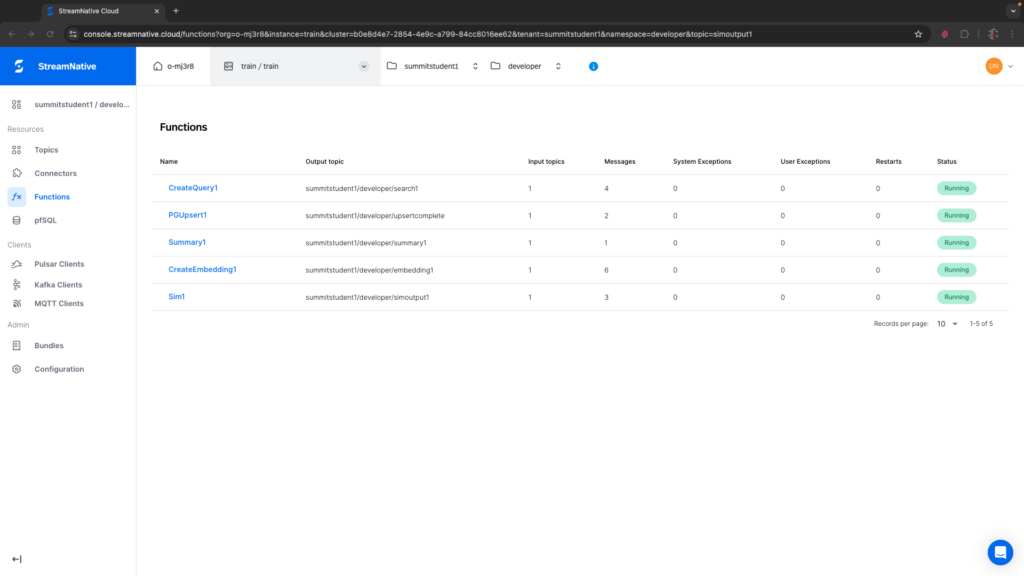
If you see any System Exceptions or User Exceptions, view Troubleshooting Pulsar Functions.
We will use the UI to check the results in the output topic. Navigate to the correct tenant and namespace where you deployed the Pulsar Function. Select the summary1 topic. After creating a subscription, we can peek at the message.
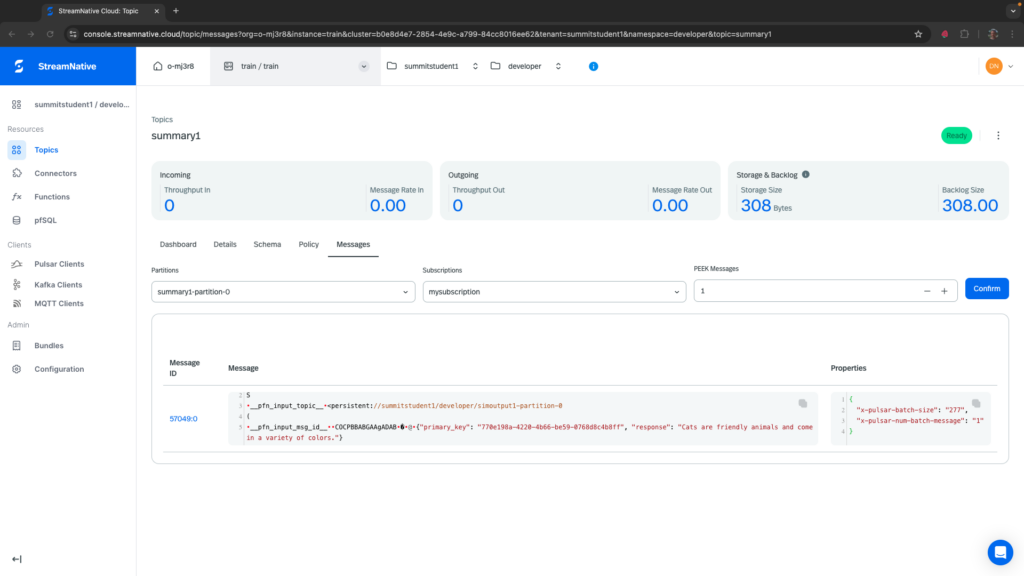
You can see that the two results of “cats are friendly animals” and “cats can be many different colors” were summarized by AWS Bedrock with Meta’s Llama 3.2 to “Cats are friendly animals and come in a variety of colors.”
Deleting Pulsar Functions
To delete the Pulsar Functions, execute the following from pulsarctl.
pulsarctl functions delete --tenant summitstudent1 --namespace developer --name CreateEmbedding1
pulsarctl functions delete --tenant summitstudent1 --namespace developer --name PGUpsert1
pulsarctl functions delete --tenant summitstudent1 --namespace developer --name CreateQuery1
pulsarctl functions delete --tenant summitstudent1 --namespace developer --name Sim1
pulsarctl functions delete --tenant summitstudent1 --namespace developer --name Summary1