
Example B: Stream Model Results to Topic: AWS Bedrock with Anthropic’s Claude
This example is adapted from AWS Building with Amazon Bedrock: Text patterns labs “Lab I-3 Response streaming“.
In this example we make a request to Anthropic’s Claude to generate text for us. Instead of waiting for the entire text to be generated, we use bedrock.converse_stream to receive the data as it is generated. We periodically write the results to an output topic.
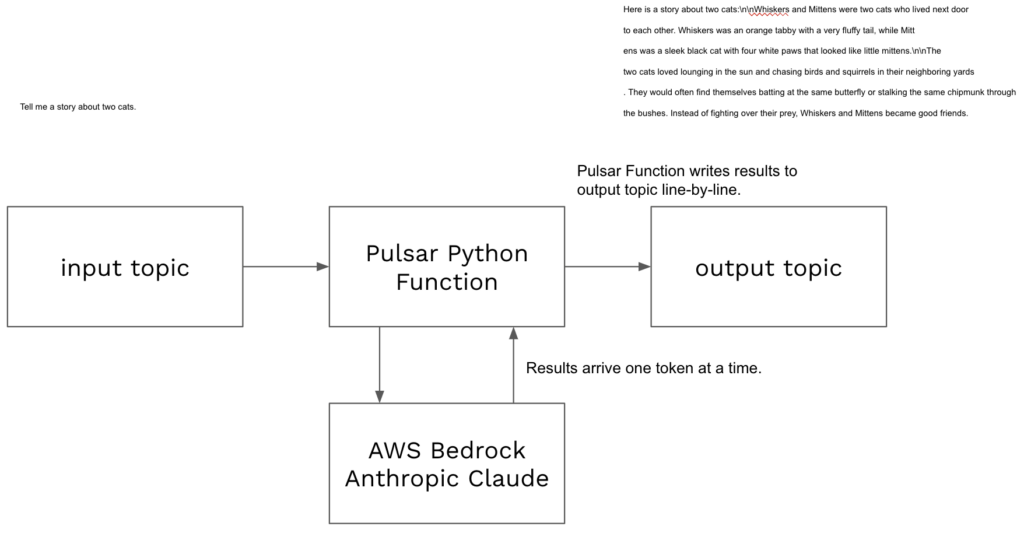
The video to the right is a high level overview of deploying and testing this Pulsar Python function.
Setup
- Complete Cluster Setup, Service Account, and pulsarctl.
- Download code example pythonexamples.
- Enable Claude 3 Sonnet in Amazon Bedrock, model id anthropic.claude-3-sonnet-20240229-v1:0.
- Create a user in AWS IAM with the AmazonBedrockFullAccess policy.
- Create an access key for the IAM user and create a StreamNative secret storing the access key and secret access key.
Deploying
Code for this example can be found in pythonexamples class StreamMeAStory.
To deploy:
- Navigate terminal to the folder containing pythonexamples.zip.
- Execute the following pulsarctl command. Be sure to edit the tenant in four places in the command where you would like to deploy the Pulsar Function (–input, –output, –tenant, –user-config).
pulsarctl functions create --classname pythonexamples.StreamMeAStory --py ./pythonexamples.zip --inputs summitstudent1/developer/storyinput1 --output summitstudent1/developer/storyoutput1 --tenant summitstudent1 --namespace developer --name Story1 --secrets '{"BEDROCKSECRET1": {"path": "bedrocksecret", "key": "accesskey"}, "BEDROCKSECRET2": {"path": "bedrocksecret", "key": "secretaccesskey"}}' --user-config "{\"output_topic_all_events\":\"summitstudent1/developer/storyoutputallevents\"}"If the Pulsar Function starts deploying, you should see:
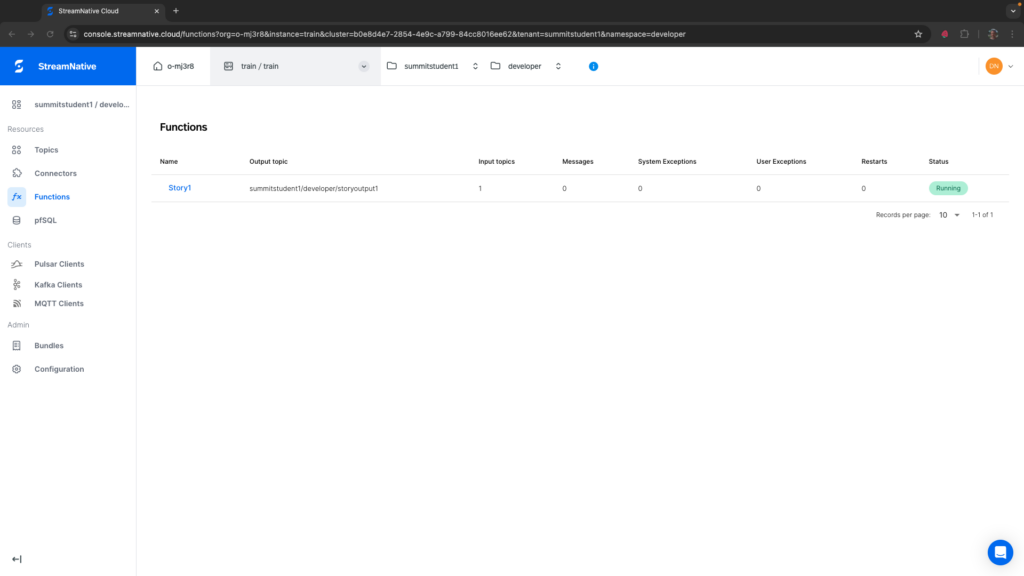
Created Story1 successfullyIt may take a minute or two for the function to deploy. Once fully deployed, you should see Story1 has a Status of Running on the Functions page for your tenant and namespace. If you see any System Exceptions, view Troubleshooting Pulsar Functions.
A Bedrock client will be created using the secret you stored in StreamNative Cloud.
try:
    self.bedrock
except:
    ACCESS_KEY = context.get_secret("BEDROCKSECRET1")
    SECRET_KEY = context.get_secret("BEDROCKSECRET2")
    self.bedrock = boto3.client(
        service_name='bedrock-runtime',
        aws_access_key_id=ACCESS_KEY,
        aws_secret_access_key=SECRET_KEY,
        region_name="us-east-1")
The following message will be sent to the model where record is the message text that will trigger the Pulsar Function. This is an input into the Pulsar Function.
message = {
  "role": "user",
  "content": [ { "text": record } ]
}
Using AWS Bedrock, we make a call to Anthropic’s Claude. Using bedrock.converse_stream, we will receive the response token-by-token. This could be as small as a word or partial word.
response = self.bedrock.converse_stream(
  modelId="anthropic.claude-3-sonnet-20240229-v1:0",
  messages=[message],
  inferenceConfig={
    "maxTokens": 2000,
    "temperature": 0.0
  }
)
After batching 20 tokens together, we use context.publish to write the results to the topic specified in –output. For troubleshooting, I also show an example of –user-config to specify a topic used to output individual tokens. When messageStop is received, the Pulsar Function publishes any remaining tokens to the output topic and returns.
Testing
To test our Python Pulsar Function, we need to produce a string message to topic specified in the –inputs field of the pulsarctl functions create command. In the example above this is summitstudent1/developer/storyinput1. This can be done easily using the Rest API with a walkthrough available here.
For this example, we suggest producing the following message to the input topic:
Tell me a story about two cats.The complete curl command would look as follows (replace <SERVER ENDPOINT>, no port number is needed):
curl -X POST https://<SERVER ENDPONT>/admin/rest/topics/v1/persistent/summitstudent1/developer/storyinput1/message \
  --header 'Authorization: Bearer <JWT TOKEN>' \
  --header 'Accept: application/json' \
  --header 'Content-Type: application/octet-stream' \
  --data-binary 'Tell me a story about two cats.'
If the Pulsar Function triggered, you should see 1 in the Messages column.
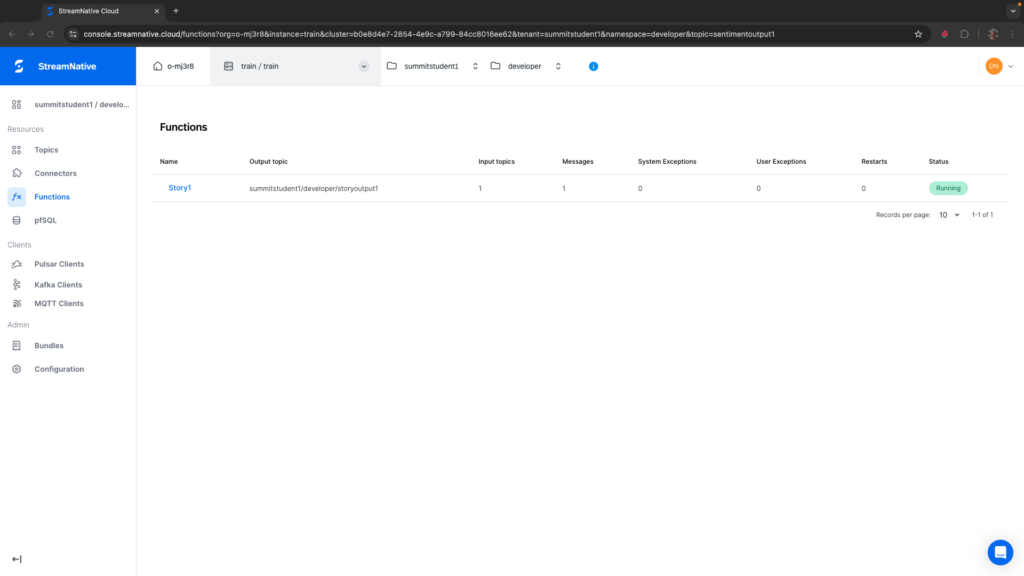
If you see any System Exceptions or User Exceptions, view Troubleshooting Pulsar Functions.
We will use the UI to check the results in the output topic. Navigate to the correct tenant and namespace specified in the –output flag. Select the storytoutput1 topic.
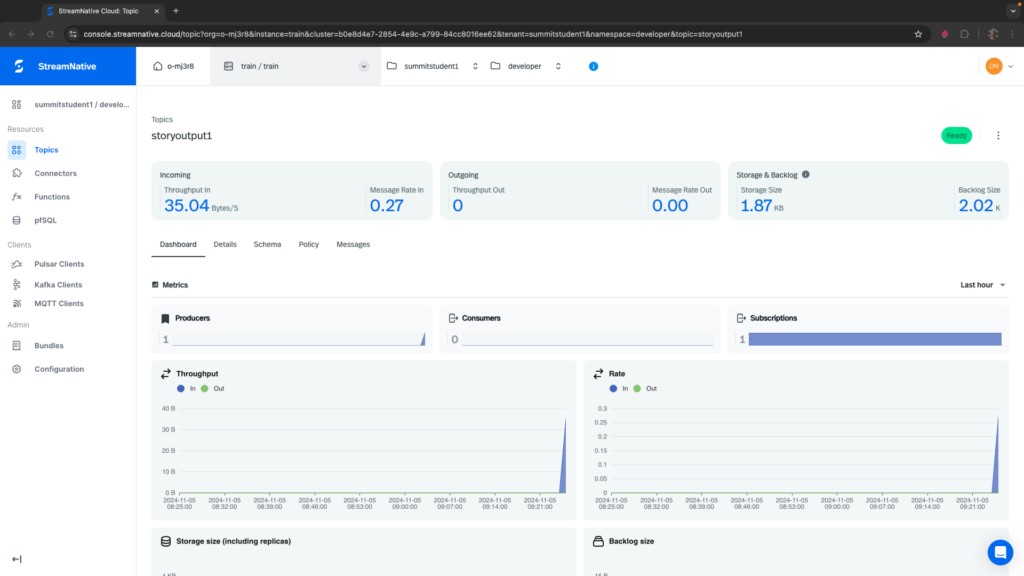
Before trying to peek at the messages, be sure you see some bytes in the Storage Size. While messages written to a topic without a subscription are by default eligible for deletion, they would not normally be deleted right away. If the storage size is still zero right after triggering the Pulsar Function, this could be a sign that the Pulsar Function did not produce results to the output topic correctly. View the section on Troubleshooting Pulsar Functions for more information.
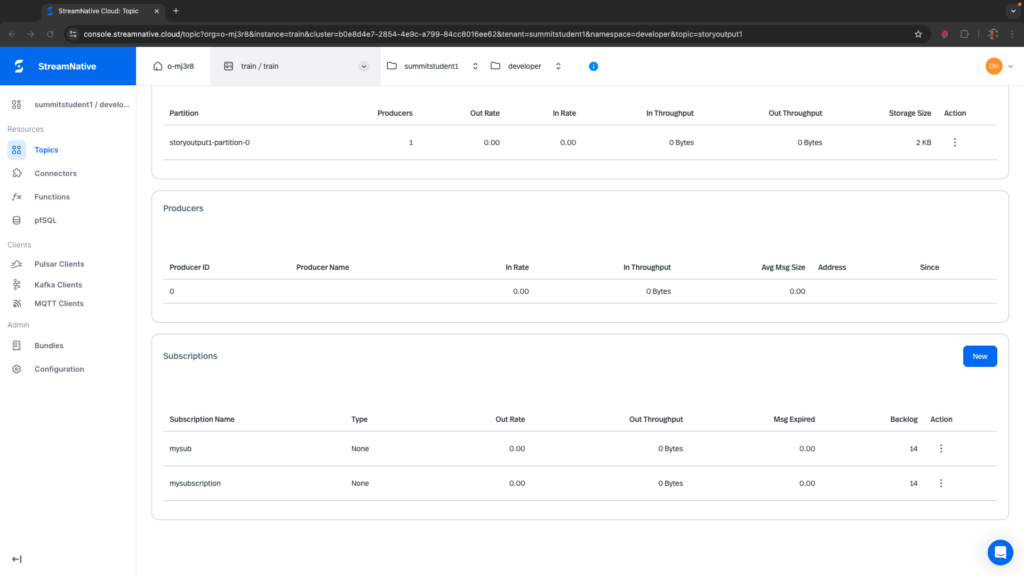
To peek at the messages, navigate to the Details tab and create a subscription at the bottom of the page. Here I created a subscription called mysubscription and there are 14 messages in the backlog. Each message corresponds to 20 chunked tokens from the model output. You may see a slightly different number.
To view these messages, navigate to the Messages tab, select the partition storyoutput1-partition-0, the subscription mysubscription, and select a number of messages to peek.
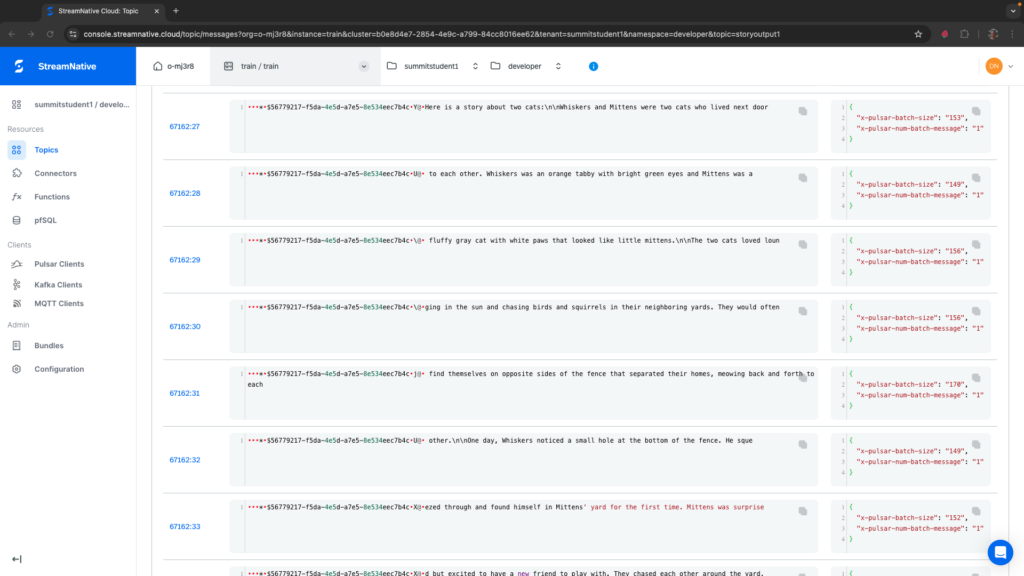
We will need to be able to reconstruct the story downstream. This can be done by assigning each story a unique key. In the python code we create a unique id and assign it to all messages published for a specific story. The unique id can be seen at the start of each message above. If you have multiple consumers, the key can be used to route all messages for a given key to the same consumer to reconstruct the story.
Deleting Pulsar Function
To delete the Pulsar Function, execute the following from pulsarctl.
pulsarctl functions delete --tenant summitstudent1 --namespace developer --name Story1