
Subscription Types
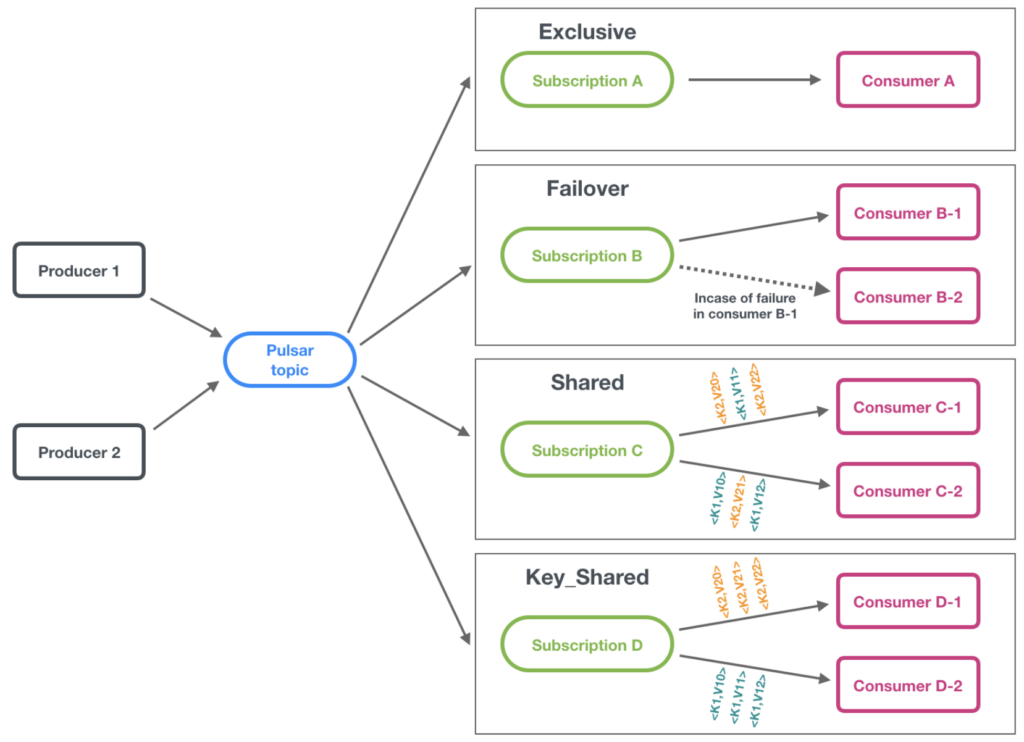
Notice that in SNConsumerString, the subscriptionType is currently SubscriptionType.Exclusive in the consumer builder. This is the default subscription type when none is specified. There are four subscription types in Pulsar.
- Exclusive: Only a single consumer can attach to the subscription.
- Failover: When using single partitioned topic, multiple consumer instances can connect to the topic but only one will receive messages. We will revisit this subscription type after we increase the number of partitions.
- Shared: Multiple consumers can connect to the same subscription.
- Key_Shared: Multiple consumers can connect to the same subscription, but messages with the same key will always be sent to the same consumer.
We currently have a partitioned topic with a single partition. This is the default behavior for StreamNative Clusters when a topic is autocreated. Try running two instances of SNConsumerString. (To execute multiple instances of a single Java application you may need to right click on the application, select More Run/Debug->Modify Run Configuration, select Modify options and enable Allow multiple instances.)
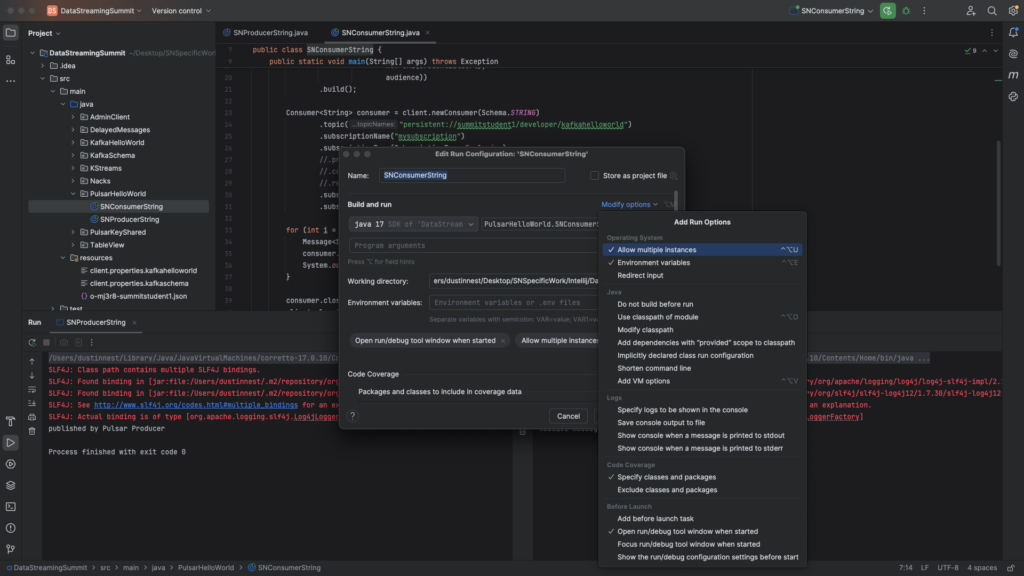
You should notice that the second instance of the consumer isn’t allowed to connect to the server.
{"errorMsg":"Exclusive consumer is already connected","reqId":175060093368964587, "remote":"pb1-pc-f317f9eb.gcp-shared-usce1.g.snio.cloud/34.173.1.22:6651", "local":"/10.0.0.185:49852"}Test Failover, Shared, and Key-Shared each with multiple instances of SNConsumerString running. It’s easy to change the subscription type of an existing topic. When all consumers are disconnected from a topic’s subscription (e.g. terminate the application using the Exclusive subscription), the subscription type of the next consumer that connects will define the subscription type. Here are some suggestions for testing Failover, Shared, and Key-Shared subscriptions:
Failover: For non-partitioned topics with a single partition, the consumer connected longer will remain active. When the first consumer terminates the second consumer will take over.
For partitioned topics (you are using a partitioned topic with a single partition), the consumers are sorted by priority (priorityLevel) and lexicographical order (consumerName). If no name is provided, a name will be assigned randomly. To test multiple consumers first set the priority to 1 and start a consumer. Change the priority to 2 in the code and start the second consumer. You should notice that the first consumer continues to receive messages while the second consumer is able to connect but remains idle. Stop the first consumer and the second consumer will take over. When you start the first consumer again (setting the priority to 1 again in the code), it will take over again.
We will revisit Failover after we have increased the number of partitions in our topic.
Shared: Messages are distributed across consumers. Note that each consumer has a default internal queue with a size of 1000 for efficiency. This works as a prefetch mechanism. This may make it appear that one consumer is receiving all messages while other consumers remain idle. To test a shared subscription, you will want to artificially reduce this queue (receiverQueueSize) size to 1 to better distribute the load across consumers. This will create inefficiencies and is only for testing. You can add a for loop in SNProducerString to increase the number of messages.
Key-Shared: A key-shared subscription guarantees messages with the same key will be distributed in order to the same consumer while scaling the number of consumers beyond the number of partitions. To test key-shared, use KeyedProducer and SNConsumer in project PulsarKeyShared.
Start two consumers before executing KeyedProducer. You should notice that messages for a particular animal are always routed to the same consumer. Messages for a given animal should also be in order.
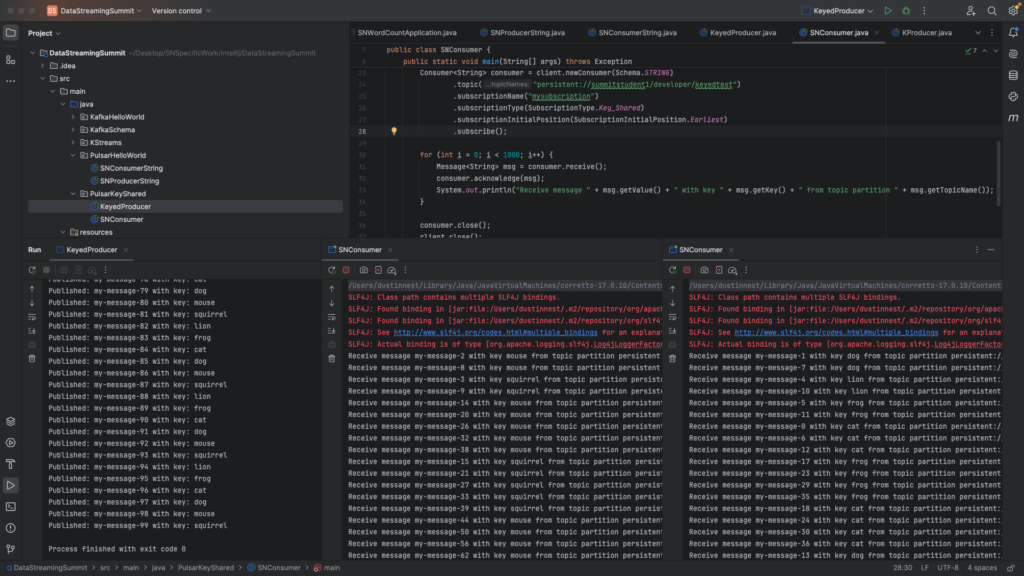
Notes on KeyedProducer:
- We are using sendAsync() instead of send(). This allows messages to be batched by the client, increasing efficiency when sending and storing data. This method will return a Java CompletableFuture.
- To ensure batches include messages of only a single given key, be sure to add batcherBuilder(BatchBuilder.KEY_BASED) to the producer. If you fail to add this, messages may not be routed to consumers correctly.
- Keys are added to messages using .key(myKey).
- You can use msg.getKey() to view the message key and msg.getTopicName() to view the topic partition name in the consumer.