Pulsar Hello World (Java)
For our Pulsar Hello World example, let’s publish String messages. We will work in project PulsarHelloWorld, making edits to SNProducerString and SNConsumerString.
Make the following changes both Java files:
- Edit credentialsUrl to be the full path to your OAuth2 credentials file, including file:/// at the beginning, Mac and Windows examples are at the bottom of this page
- Edit topic to use your student id, publish to kafkahelloworld (it’s ok to share String or byte topics with Kafka and Pulsar)
Execute SNProducerString and SNConsumerString. You should see the following:
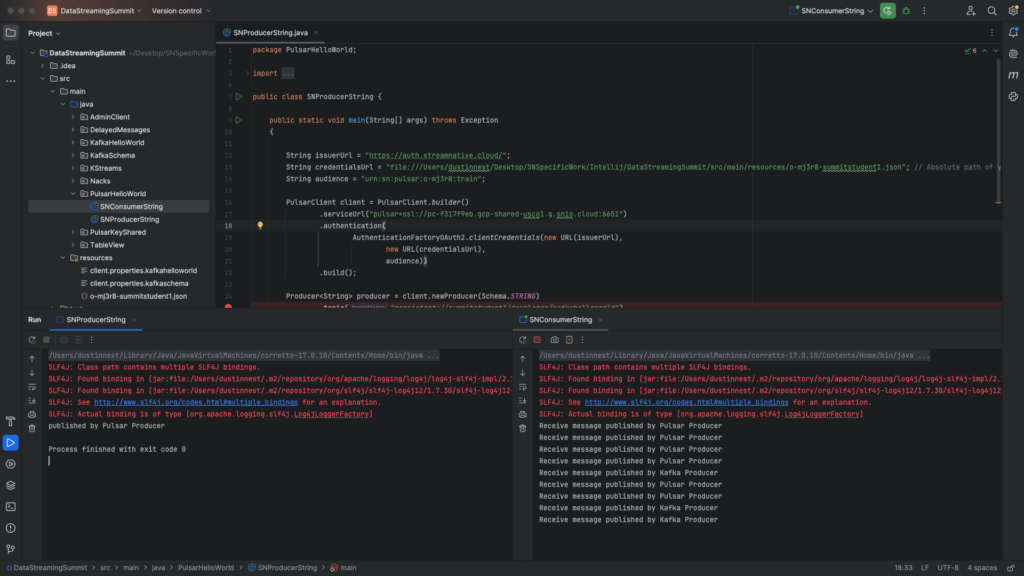
You may see some Kafka messages produced earlier being consumed by Pulsar. Pulsar and Kafka topics are actually the same. But even when using the same subscription name, the Kafka consumer groups and Pulsar consumer are different.
You can execute SNWordCountApplication and see that it also receives the Pulsar String messages. The Kafka Consumer will also receive the Pulsar messages. Note that shared topics is currently only supported for byte and String messages.
Mac: (note there are THREE forward slashes after "file:")
String credentialsUrl = "file:///Users/dustinnest/Desktop/SNSpecificWork/Intellij/StreamNativeHelloWorld/src/main/resources/o-mj3r8-summitstudent1.json";

Windows (note that there are SIX backslashes after "file:")
String credentialsUrl = "file:\\\\\\Users\\dustin.nest\\CourseFiles\\PulsarClassFiles\\StreamNativeHelloWorld\\src\\main\\resources\\o-mj3r8-summitstudent1.json";