
Creating StreamNative Secrets for Pulsar Functions
To deploy a StreamNative secret, navigate to the Secrets tab in the left pane for your instance / cluster. Select +Create Secret in the top right corner and you will see the Create secret popup.

Here we create a secret called “bedrocksecret” with the corresponding accesskey and secretaccesskey for an IAM user with AmazonBedrockFullAccess permissions.
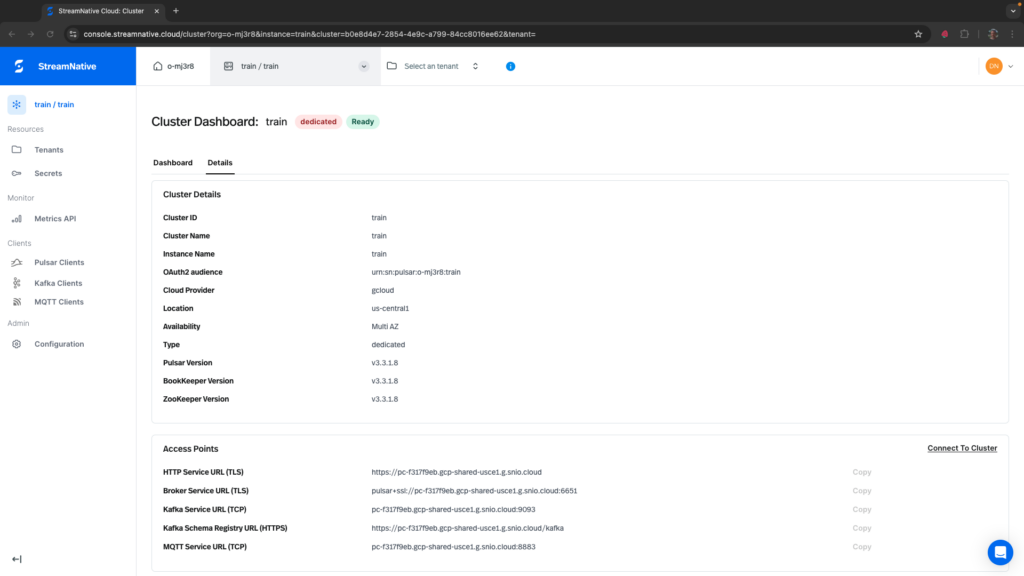
If you are unsure of the region of your cluster, it can be found on the Cluster Dashboard. To navigate to the Cluster Dashboard, select the instance / cluster at the top of the left pane and click on the Details tab.
To use this secret inside a Pulsar Function, we add the secrets flag to the pulsarctl functions create command:
pulsarctl functions create --classname pythonexamples.SentimentAnalysis --py ./pythonexamples.zip --inputs summitstudent1/developer/sentimentinput1 --output summitstudent1/developer/sentimentoutput1 --tenant summitstudent1 --namespace developer --name Sentiment1 --secrets '{"BEDROCKSECRET1": {"path": "bedrocksecret", "key": "accesskey"}, "BEDROCKSECRET2": {"path": "bedrocksecret", "key": "secretaccesskey"}}'BEDROCKSECRET1 and BEDROCKSECRET2 will be accessible as part of the context object inside the Python Pulsar Function code. Here is an example of using them in the creation of the AWS Bedrock client.
ACCESS_KEY = context.get_secret("BEDROCKSECRET1")
SECRET_KEY = context.get_secret("BEDROCKSECRET2")
self.bedrock = boto3.client(
    service_name='bedrock-runtime',
    aws_access_key_id=ACCESS_KEY,
    aws_secret_access_key=SECRET_KEY,
    region_name="us-east-1")