Deploying Cluster with $200 Free Credit
The following lesson is to assist with setting up your cluster for the Free Preview only. If you are taking the full Paid course, you will use a preconfigured tenant in a StreamNative Hosted Training Pulsar cluster. You will receive an OAuth2 Key by email to connect to the cluster.
The video deploys a Pulsar cluster using Rapid Channel. You can deploy with LTS or Rapid Channel for testing the Pulsar Java Client. If you also plan on testing Kafka code, use the Rapid Channel.
If you’ll be using your own StreamNative Hosted Pulsar cluster, you’ll need to make additional changes to the code throughout the course. This includes endpoints and OAuth2 settings.
Endpoints
Once you’ve spun up your cluster, you can obtain endpoints by navigating to Pulsar Clusters in the left pane of the StreamNative UI and selecting Details. You should see a section called Access Points.
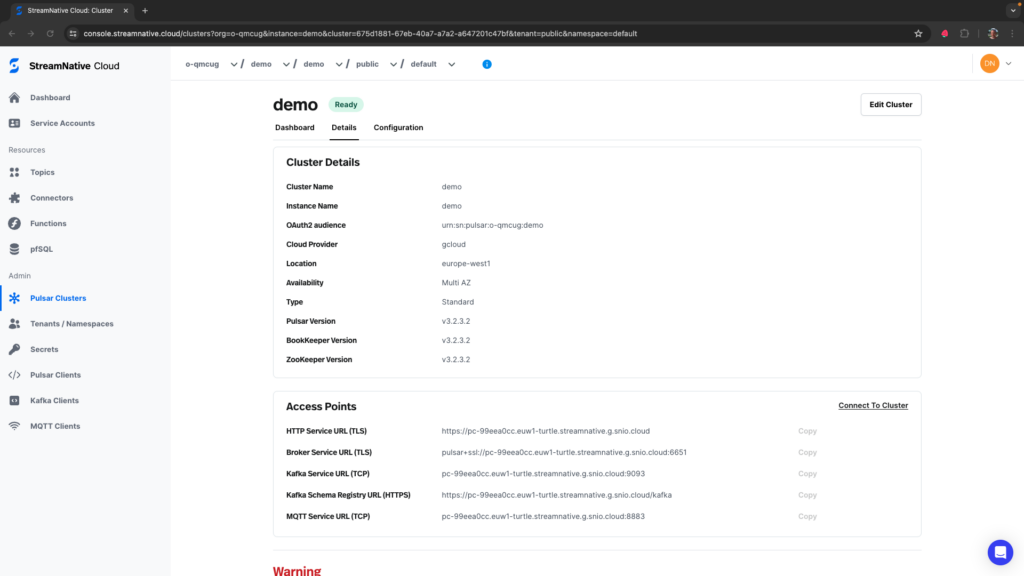
You will be using the HTTP Service USL (TLS) and Broker Service URL (TLS) endpoints during the course.
You will use HTTP Service URL (TLS) to access the Pulsar Admin endpoint. Broker Service URL (TLS) will be used by the Pulsar Java Client when producing and consuming messages to the Pulsar protocol handler.
OAuth2
When configuring OAuth2 throughout the course, you will need to adjust the audience to correspond to your org and instance. The audience should include the name of your instance (this is one level above the cluster, in the above image you can see both the instance and cluster are demo at the top of the page). The audience is therefore:
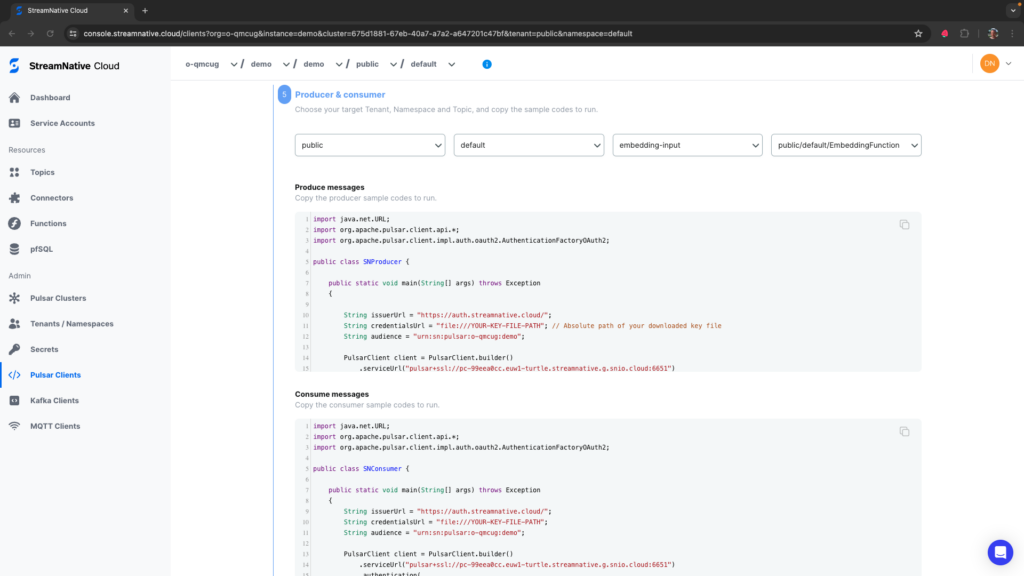
https://courses.streamnative.io/courses/introduction/lessons/welcome-4/urn:sn:pulsar:o-qmcug:demoYou can also verify you have the correct audience by clicking on Pulsar Clients in the left pane of the StreamNative UI (you must have an instance, cluster, tenant, and namespace selected at the top of the page). If you keep the default settings of Java Code libraries and click Next multiple times, you should be down to the Produce messages code where the audience for your cluster will be populated.