
Deploy Snowflake Streaming Sink Connector (Pulsar IO)
This guide assumes you have already deployed a StreamNative Cluster using the Classic Engine (available with Serverless, Dedicated, or BYOC deployment options). To get started quickly using a $200 Free Credit, follow Cluster Setup for Getting Started with Pulsar on StreamNative to deploy a Serverless Cluster using the Classic Engine.
In this example we:
- Deploy a Snowflake Streaming Sink Connector (Pulsar IO)
- Produce Pulsar Messages with AVRO schema using a Java Client
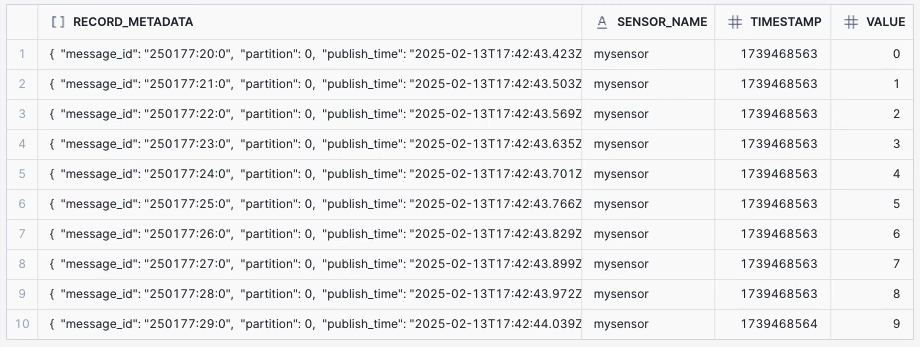
- Query results in Snowflake
The following fields are configured using StreamNative UI:
- Sink Name
- Subscription
- Service Account (provided consume and sinks permissions on the tenant/namespace, and Service Account Binding)
- Input topic: Tenant, Namespace, and Topic
- Snowflake URL
- User
- Database
- Schema
- Role
- Enable Schematization: true
- Authentication Secrets
For this test, Pulsar messages are published to topic snowpipe with AVRO Schema with fields sensor_name, timestamp, and value. Since enableSchematization is set to true by default, our table includes columns for SENSOR_NAME, TIMESTAMP, and VALUE, instead of a RECORD_CONTENT column. View the documentation here for more information on schema detection and evolution.
Documentation for Snowflake Streaming Sink Connector (Pulsar IO)