Suggested Course Pacing and Grading
Suggested Course Pacing
Day 1: Self-paced. Complete the following modules:
- Course Setup – recommended to complete before start of course
- Use Case a – 0.5 hours
- Messaging Basics – 3.5 hours
Day 2: Self-paced. Complete the following modules:
- Consumer Subscription Types – 1.5 hours
- API Internals for Message Integrity and Scaling – 2 hours
- Introduction to Streaming – 1 hour
Day 3: Self-paced. Complete the following modules:
- Topic Partitioning for Scaling Throughput – 1 hour
- Working with Keys – 2 hours
- Message Retention and Storage – 0.5 hours
- Security – 0.5 hours
Course Grading and Certificate of Completion (Paid course only)
Upon completion of the paid course you will obtain a certificate of completion and badge to post on social media. You must receive an overall grade of 75% in the course to receive your Certificate of Completion and Badge.
Your grade consists of two parts:
- 25% of your grade consists of completing 23 short quizzes presented after lectures in the course.
- 75% of your grade consists of completing Java coding exercises (Hands-on Exercises). This is the majority of your grade. If you have trouble completing any of the required exercises, please contact training-help@streamnative.io and StreamNative’s Technical Trainer will help troubleshoot!
To confirm the completion of the Hands-on Exercises, we check the following five items. These are clearly indicated during the course, but often require completing earlier exercises to get them to work.
- Publish an Order message to topic orderBackLogChina. (Day 1)
- Consume an Order message from topic orderBackLogChina and produce an Order message to topic order_approved. (Day 1)
- Consume an Order message from topic order_approved and produce a delayed Order message to topic scheduled_marketing_email. (Day 2)
- Convert order_approved to a partitioned topic with multiple partitions. Consume an Order message from orderBackLogChina and write a keyed Order message to topic order_approved. (Day 3)
- Consume Order messages from topic order_approved, adding up item quantity (or total value). Write a country total to topic my_table_view keyed by country. Optional: reset condition, seek on startup. (Day 3)
Progress Bar
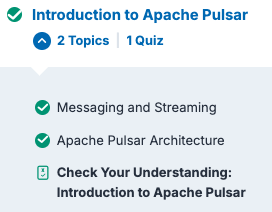
If you are logged in, you will likely notice the progress bar at the top of the page. This progress bar is not used for grading.

If you would like to track your completeness, you can click Mark Complete at the bottom of each page.

You will then notice that the lesson, topic, or quiz is green in the left pane.