
StreamNative UI Sample Code for Multiple Pulsar Clients
Now that we have our StreamNative Pulsar Cluster and an OAuth2 Key for a super-admin service account, let’s download sample code pre-populated with our cluster’s access point. You also have the option of using an API Key when downloading this code. The StreamNative UI includes code samples for Java, Go, Python, C++, Node.js, Rust, Spring, and C#.
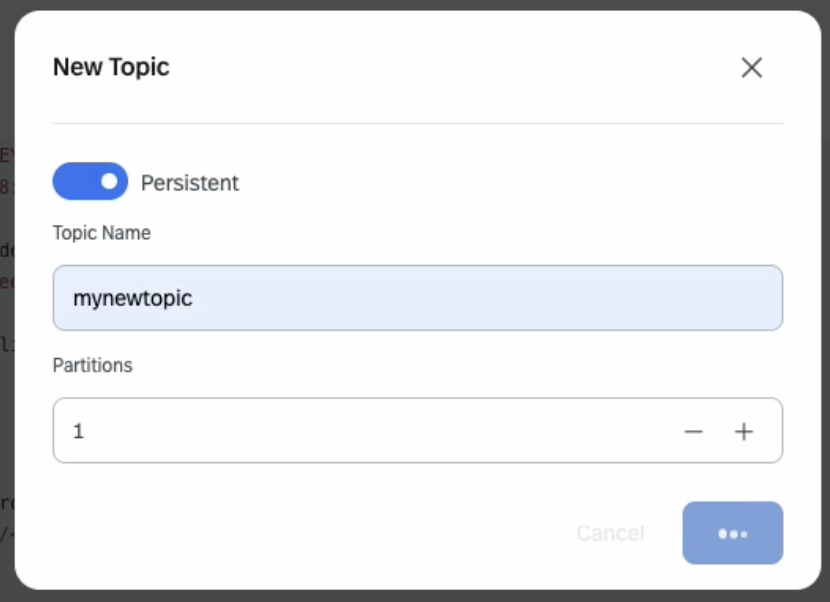
When creating your first topic, use a single partition (e.g. Partitions: 1 in below screenshot). Partitions will be discussed later in the course. First we will demonstrate the different subscription types with a single partition topic. Later in the course we will increase the number of partitions and test each subscription type again!
We will be using the 3.3.1 version of the Pulsar Java Client. The latest version available of the Pulsar Java Client from Maven is listed here.
It can be tricky to get the CREDENTIALS_URL path correct to your OAuth2 Key. Here are reference examples for both Mac and Windows. We will test this in the next video.
Mac:
private static String CREDENTIALS_URL = "file:///Users/dustinnest/Desktop/CourseFiles/PulsarClassFiles/Developer-Training/src/main/resources/o-mj3r8-student31-05032024.json";

Windows (note that there are SIX backslashes after "file:")
private static String CREDENTIALS_URL = "file:\\\\\\Users\\dustin.nest\\CourseFiles\\PulsarClassFiles\\PulsarClassFiles\\Developer-Training\\src\\main\\resources\\o-mj3r8-student31-05032024.json";