
Get Started with Kafka and Pulsar Clients Using $200 Free Credit
Get started using a StreamNative Serverless, Dedicated, or BYOC Pulsar cluster using $200 free credit.
Getting Started with Kafka Client
The fastest way to get started using Kafka with a StreamNative Pulsar cluster is by following the free tutorial Getting Started with Kafka on the ONE StreamNative Platform. The tutorial includes:
- Directions on creating a Serverless or Dedicated Pulsar cluster using the $200 free credit (credit also valid for BYOC clusters)
- Creating a service account and applying required permissions for using the Kafka client
- Example code for download
- Video walkthroughs on using JWT/APIKey or OAuth2 to connect your Kafka Client to the Pulsar cluster

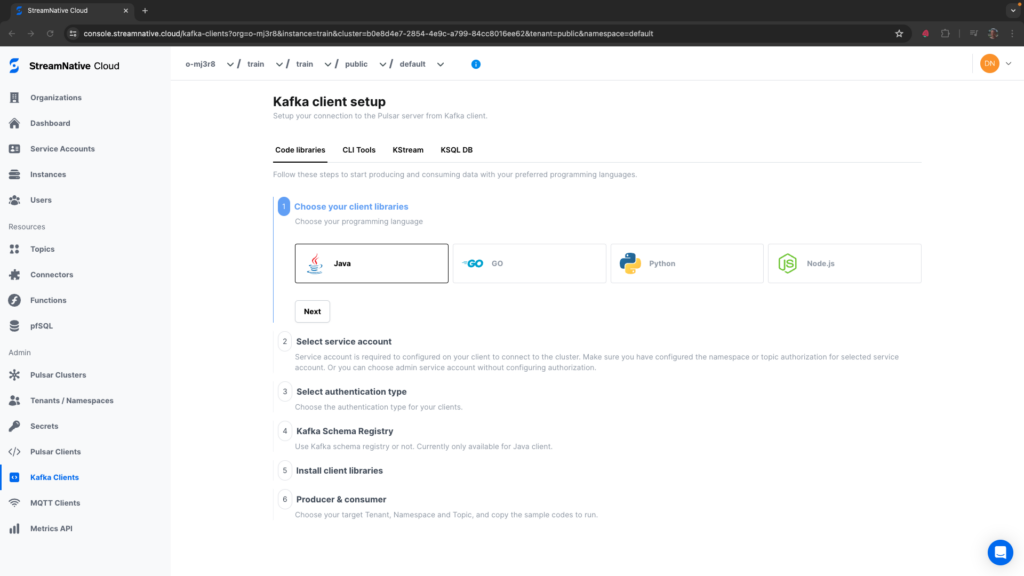
If you already have an existing cluster, navigate to Kafka Clients in the left pane of the StreamNative UI.
Here you can find example code for:
- Kafka client libraries: Java, GO, Python, and Node.js
- CLI Tools
- KStreams
- KSQL DB
It is recommended to use the Rapid Channel for testing Kafka with the ONE StreamNative Platform. To check if you are on the Rapid Channel, navigate to Pulsar Clusters -> Configuration in the StreamNative UI. The Release Channel will be listed.
Getting Started with Pulsar Client
To get started using the $200 free credit with the Pulsar Client, follow the video to the left.
Once your cluster is deployed, follow the StreamNative Quickstart to:
- Create a service account
- Create a tenant and namepsace
- Create your first topic
- Publish your first Pulsar messages to the cluster
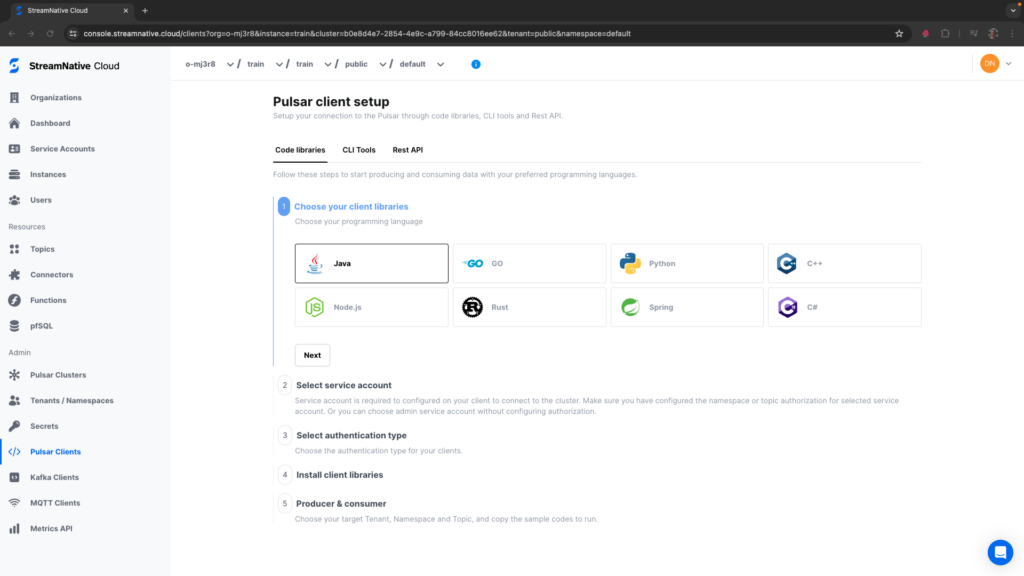
If you already have an existing cluster, navigate to Pulsar Clients in the left pane of the StreamNative UI.
Here you can find example code for:
- Pulsar client libraries: Java, GO, Python, C++, Node.js, Rust, Spring, and C#
- CLI Tools
- Rest API
StreamNative also offers a 3-day Developer Training, with hands-on exercises using all major features of the Pulsar Java Client. To preview course content, view the StreamNative Academy YouTube playlist: Course Preview: Practical Apache Pulsar Application Development. For sign-up details and additional course information, visit Instructor-led Training.